
-
Filter By Stock
- In Stock (4)
Filter By Brand
- Arduino (1)
- iduino (6)
Arduino Mega 2560 Development Boards
Popular Products
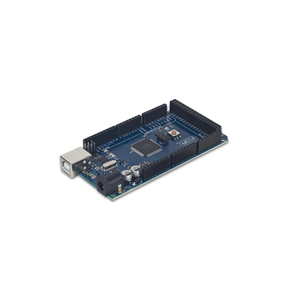
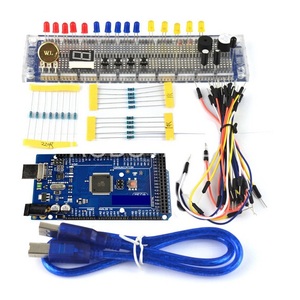
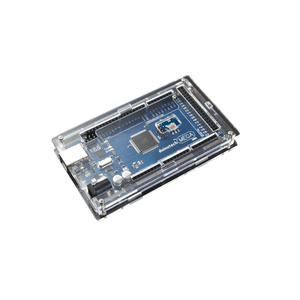
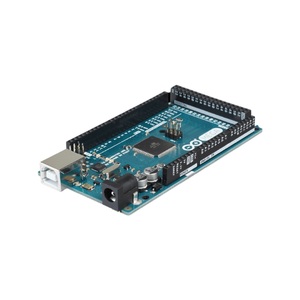
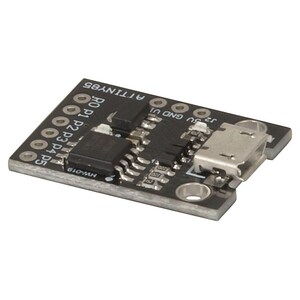
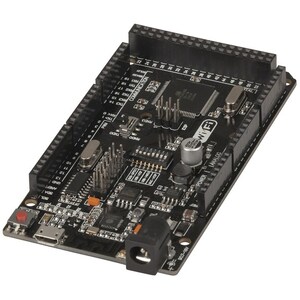
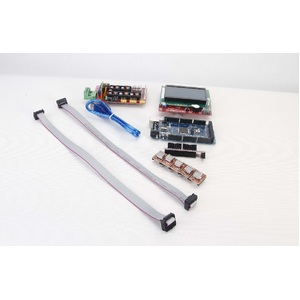
Arduino Mega 2560 Development Boards
Explore our range of Arduino Mega development boards at Aus Electronics Direct. Designed for more complex electronics, robotics and automation projects, the Arduino Mega 2560 provides additional input and output connections compared with smaller Arduino boards, making it suitable for projects that require multiple sensors, motors, displays and other electronic components.
Based on the ATmega2560 microcontroller, the Arduino Mega 2560 offers 54 digital input/output pins, 16 analogue inputs and four hardware serial communication ports. Its expanded connectivity and memory capacity make it a versatile development platform for electronics enthusiasts, makers, students and engineers.
Features of the Arduino Mega 2560
The Arduino Mega 2560 is designed to handle projects that require more connections and resources than a standard Arduino Uno. Key features include:
-
ATmega2560 microcontroller: Provides the processing capabilities for complex electronics and embedded applications.
-
54 digital I/O pins: Connect multiple electronic components, sensors and modules.
-
16 analogue inputs: Read signals from analogue sensors and other input devices.
-
15 PWM-capable outputs: Control compatible devices requiring pulse-width modulation.
-
Four UART ports: Support multiple serial communication connections.
-
256KB Flash memory: Provides storage for program code.
-
USB connectivity: Connect the board to a computer for programming and communication.
What Can You Build with an Arduino Mega?
The Arduino Mega is suitable for a wide range of electronics and microcontroller projects, particularly applications that require numerous input and output connections.
Popular applications include:
-
Robotics projects involving multiple motors and sensors.
-
3D printer controllers and electronic automation systems.
-
Home automation and smart control projects.
-
Multi-sensor monitoring and data acquisition systems.
-
LED displays and lighting control systems.
-
Electronic prototypes and educational projects.
Arduino Mega vs Arduino Uno
The Arduino Mega 2560 and Arduino Uno are both popular development boards, but they are designed for different project requirements.
The Arduino Uno is a practical choice for beginners and smaller electronics projects. The Arduino Mega provides more digital and analogue connections, additional serial ports and greater memory capacity, making it better suited to larger projects involving multiple peripherals.
When selecting a board, consider the number of sensors, motors, displays and other components you intend to connect.
Choosing the Right Arduino Mega Development Board
When selecting an Arduino Mega development board, consider the following:
-
Board compatibility: Check compatibility with your existing Arduino shields, modules and components.
-
USB connectivity: Confirm the USB connection and whether a USB cable is included.
-
Power requirements: Check the recommended power input for your particular board.
-
Project requirements: Consider the number of available I/O pins, memory and communication interfaces.
-
Starter kits: Choose a kit if you need additional components for prototyping and experimentation.
Shop Arduino Mega development boards at Aus Electronics Direct and find suitable boards, starter kits and accessories for your next electronics project.
Frequently Asked Questions – Arduino Mega 2560 Development Boards
1. What is an Arduino Mega 2560 development board?
The Arduino Mega 2560 is a microcontroller development board based on the ATmega2560 chip. It is designed for electronics projects that require more input and output connections, memory and communication interfaces than smaller Arduino boards. It is commonly used for robotics, automation, 3D printers and complex electronic prototypes.
2. What is the Arduino Mega used for?
The Arduino Mega is used to develop and control electronic projects involving multiple sensors, motors, displays and other electronic components. Its large number of input and output pins makes it suitable for robotics, home automation, monitoring systems, 3D printers and advanced educational electronics projects.
3. What is the difference between Arduino Mega and Arduino Uno?
The main difference is the number of available connections and memory. The Arduino Mega 2560 has 54 digital I/O pins, 16 analogue inputs and 256KB of Flash memory, while the Arduino Uno R3 has 14 digital I/O pins, 6 analogue inputs and 32KB of Flash memory. The Mega is better suited to larger projects requiring multiple components.
4. How many digital pins does the Arduino Mega have?
The Arduino Mega 2560 has 54 digital input/output pins, numbered 0 to 53. Of these, 15 support PWM output, allowing compatible components such as motors, LEDs and other devices to be controlled using pulse-width modulation.
5. How many analogue inputs does the Arduino Mega provide?
The Arduino Mega 2560 provides 16 analogue input pins, allowing it to read signals from compatible analogue sensors and devices. These inputs are useful for measuring variables such as temperature, light intensity, pressure and other sensor readings in electronic projects.
6. What microcontroller does the Arduino Mega 2560 use?
The Arduino Mega 2560 uses the ATmega2560 microcontroller from Microchip (formerly Atmel). This 8-bit AVR microcontroller provides 256KB of Flash memory, 8KB of SRAM and 4KB of EEPROM, making it suitable for more complex embedded applications.
7. Is the Arduino Mega suitable for beginners?
Yes, the Arduino Mega is suitable for beginners who want to learn electronics, programming and microcontroller development. It works with the Arduino IDE and supports a wide range of tutorials, libraries and electronic components. However, beginners working on simple projects may find the smaller Arduino Uno easier to start with.
8. What projects can you build with an Arduino Mega?
The Arduino Mega can be used for a wide range of electronics and automation projects, including:
-
Robotics and multi-motor control systems.
-
3D printer controllers.
-
Home automation and smart control systems.
-
LCD and LED display projects.
-
Environmental monitoring systems.
-
Sensor-based automation.
-
Electronic data logging systems.
Its expanded I/O capacity makes it particularly useful for projects involving multiple connected components.
9. Is the Arduino Mega compatible with Arduino Uno shields?
Many Arduino Uno shields are compatible with the Arduino Mega 2560 because they share a similar pin layout and operating voltage. However, compatibility is not guaranteed for every shield. Some shields may use different pin assignments or rely on specific hardware features, so always check the manufacturer's compatibility information before connecting them.
10. How do I connect an Arduino Mega to a computer?
Connect the Arduino Mega 2560 to your computer using a compatible USB cable. Install the Arduino IDE, select Arduino Mega or Mega 2560 as the board, and choose the correct communication port. You can then write, compile and upload programs to the board through the USB connection.
11. What programming language does the Arduino Mega use?
The Arduino Mega is programmed using the Arduino programming language, which is based on C and C++. Programs, commonly called sketches, are written and uploaded using the Arduino IDE. Users can also access libraries that simplify communication with sensors, displays, motors and other electronic modules.
12. How do I power an Arduino Mega development board?
The Arduino Mega 2560 can be powered through its USB connection or an external power supply connected to its DC barrel jack or VIN pin. The recommended external input voltage is 7–12V. Always check the board's power specifications and ensure the supply has sufficient capacity for connected components.
13. What is the difference between Arduino Mega 2560 and Mega R3?
Arduino Mega 2560 refers to the board's microcontroller platform, while R3 identifies the third revision of the board design. The Arduino Mega 2560 Rev3 is a commonly used version featuring the ATmega2560 microcontroller, USB connectivity and an expanded I/O layout. When purchasing, check the specific revision and specifications listed for the product.
14. Can an Arduino Mega control multiple motors and sensors?
Yes, the Arduino Mega can control multiple motors and read data from numerous sensors. Its 54 digital I/O pins, 16 analogue inputs and multiple communication interfaces make it suitable for complex control systems. However, motors generally require suitable driver circuits or motor controllers and an appropriately rated external power supply rather than being powered directly from the board's I/O pins.
15. What accessories do I need for an Arduino Mega project?
The accessories depend on your project requirements. Common Arduino Mega accessories include:
-
USB cable for programming and communication.
-
Breadboard for prototyping circuits.
-
Jumper wires for connecting components.
-
Sensors and electronic modules.
-
LEDs, resistors and capacitors.
-
Motor drivers for controlling motors.
-
LCD or OLED displays.
-
External power supplies and compatible connectors.
Choosing compatible accessories makes it easier to expand your Arduino Mega development board and build more advanced electronics projects.