
-
Filter By Stock
- In Stock (11)
Filter By Brand
- Aus Electronics Direct (8)
- eFuel (6)
Multi-Voltage DC Power Adaptersv
Popular Products
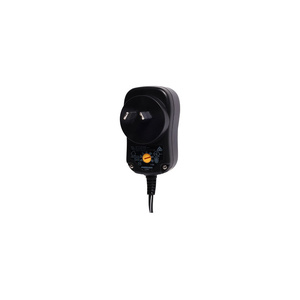
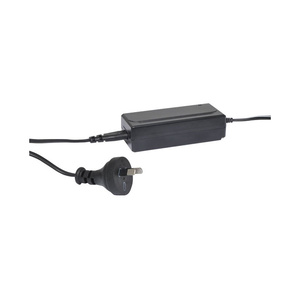
Multi-Voltage DC Power Adapters
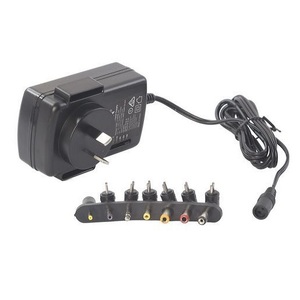
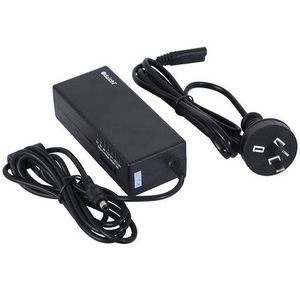
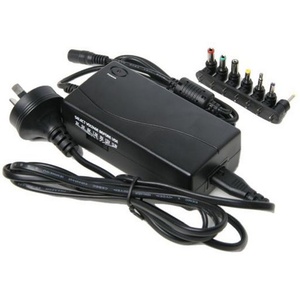
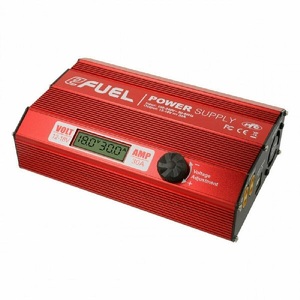
Shop multi-voltage DC power adapters at Aus Electronics Direct. These versatile power supplies feature selectable output voltages and interchangeable DC plugs, making them suitable for powering a range of compatible electronic devices.
Choose from universal power adapters with different voltage settings and current capacities, including models offering selectable 3V, 4.5V, 5V, 6V, 7.5V, 9V, 12V and higher DC outputs. Interchangeable connector tips provide flexibility when replacing a compatible power adapter or powering equipment with different DC socket sizes.
Some models also feature reversible polarity, allowing the DC plug to be configured for centre-positive or centre-negative connections. Always check your device's required input voltage, current, polarity and connector dimensions before connecting an adapter. Select the correct voltage setting before plugging the adapter into your equipment to help prevent damage.
FAQ
1. What is a multi-voltage power adapter?
A multi-voltage power adapter is a power supply that allows you to select from several fixed DC output voltage settings using a switch or selector. Depending on the model, settings may include 3V, 4.5V, 5V, 6V, 7.5V, 9V, 12V or higher. Many models also include interchangeable DC plugs to suit different compatible electronic devices. They are useful when replacing a power adapter or powering equipment that requires a selectable voltage.
2. How does a universal power adapter work?
A universal power adapter converts mains AC electricity into a lower-voltage DC output suitable for compatible electronic equipment. The user selects the required output voltage using the adapter's voltage selector and chooses an interchangeable DC plug that fits the device's power socket. Some models also allow the output polarity to be reversed. Always check the device's voltage, current, polarity and connector requirements before connecting the adapter.
3. Can I use a multi-voltage adapter with any electronic device?
No. A multi-voltage adapter is not compatible with every electronic device. The selected output voltage must match the device's permitted input voltage, and the adapter must provide sufficient current. You must also check the DC plug dimensions and polarity. Some devices require a specific power supply or connector arrangement, so always consult the manufacturer's specifications before using a universal adapter.
4. How do I select the correct voltage on a universal power adapter?
First, check the input voltage printed on your device or its original power adapter. Find the matching voltage setting on your universal adapter and select it before connecting the adapter to the device. Also confirm that the adapter's maximum current capacity is sufficient, the DC plug fits correctly and the polarity matches. Never guess the voltage setting, as an incorrect output can damage electronic equipment.
5. What is the difference between a 2A, 3A and 4A multi-voltage adapter?
The difference is the maximum current capacity of each adapter. A 2A model can supply up to 2 amps, a 3A model up to 3 amps and a 4A model up to 4 amps, subject to the manufacturer's specifications and the selected voltage setting. A higher current rating provides greater available capacity, but does not force additional current into the connected device. Some adapters also have different maximum current ratings at different voltage settings, so check the product specifications carefully.
6. What are interchangeable DC plugs used for?
Interchangeable DC plugs allow one power adapter to connect to different devices with compatible DC power sockets. Universal adapters commonly include several plug tips in different sizes to accommodate various connector dimensions. However, a plug that physically fits does not automatically guarantee electrical compatibility. Check both the inner and outer plug diameters, polarity and device power requirements before connecting it.
7. How do I check the polarity of a DC power adapter?
Check the polarity symbol printed on the electronic device, original adapter or product specifications. Many DC barrel connectors use centre-positive polarity, while some equipment requires centre-negative polarity. The polarity diagram indicates whether the centre contact and outer barrel are positive or negative. If your multi-voltage adapter has reversible polarity, set the plug to match the device before connecting it. Incorrect polarity can damage equipment.
8. Can I leave a multi-voltage adapter set to the wrong voltage?
No. You should always check and select the correct output voltage before connecting a multi-voltage adapter to electronic equipment. Leaving the selector at an incorrect voltage can cause the device to malfunction or suffer permanent damage. Some devices may be especially sensitive to overvoltage. If you are unsure which setting to use, check the device manufacturer's specifications or original power adapter before proceeding.