
-
Filter By Category
- Wearable Development Board | Arduino LilyPad (1)
- Lilypad Wearable Parts and Accessories (1)
-
Filter By Stock
- In Stock (7)
Filter By Brand
- iduino (12)
Arduino LED Modules and LED Matrix Displays
Popular Products




Arduino LED Modules and LED Matrix Displays
Explore our range of Arduino LED modules at Aus Electronics Direct, featuring a variety of LED lighting components and display modules for electronics projects, prototyping and DIY applications. Whether you are building an Arduino lighting project, experimenting with RGB colours or creating a programmable LED display, we offer a selection of LED modules to suit different project requirements.
Our range includes RGB LED modules, red and white LED modules, blue LED modules, LED dot matrix displays, flexible LED matrix panels and LED cube kits. These modules can be used for visual indicators, electronic displays, lighting effects, scrolling messages and interactive Arduino projects.
Types of Arduino LED Modules
-
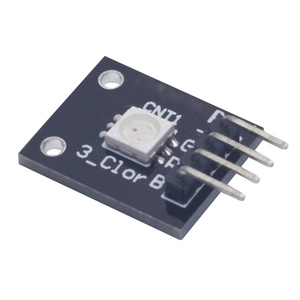
RGB LED Modules: Create colourful lighting effects by controlling red, green and blue LED outputs.
-
Single-Colour LED Modules: Suitable for basic lighting, status indicators and electronic experiments.
-
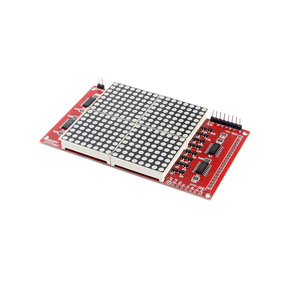
LED Dot Matrix Modules: Display numbers, letters, symbols and simple graphics using an arrangement of LEDs.
-
LED Matrix Displays: Build larger visual displays for scrolling messages, animations and information panels.
-
Flexible LED Matrix Modules: Explore flexible LED display solutions for creative electronics projects.
-
LED Cube Kits: Build three-dimensional LED displays and experiment with programmable lighting patterns.
Choosing the Right LED Module for Arduino
When selecting an LED module, consider the display size, LED colour, operating voltage, current requirements and connection interface. Simple LED modules are suitable for basic lighting and indicator applications, while RGB modules offer greater colour control.
For larger displays, LED matrix modules provide more display options and may require additional driver circuitry to control multiple LEDs efficiently.
Check the module's specifications and Arduino compatibility before connecting it to your development board.
Browse our range of Arduino LED modules and find the right components for your next electronics project.
Arduino LED Module FAQs
1. What is an Arduino LED module?
An Arduino LED module is an electronic component containing one or more light-emitting diodes (LEDs) that can be controlled using an Arduino development board. LED modules are available in different colours and configurations, including single-colour LEDs, RGB LED modules and LED matrix displays. They are commonly used in electronics experiments, prototyping, lighting effects and interactive projects.
2. What are LED modules used for in Arduino projects?
LED modules provide visual feedback and lighting in Arduino projects. They can indicate the status of a circuit, display information, produce colour-changing effects or create animations. Common applications include electronic indicators, traffic light simulations, digital displays, scrolling message boards, LED cubes and interactive lighting systems.
3. How do I connect an LED module to an Arduino?
Most basic LED modules connect to an Arduino using digital input/output pins, a ground connection and an appropriate power supply. Connect the module's signal pin to a suitable Arduino digital pin, its GND pin to Arduino ground and VCC to the voltage specified by the manufacturer. Some modules also require additional connections or driver circuitry. Always check the module's pinout and voltage requirements before connecting it.
4. How do I control an LED using Arduino?
An LED can be controlled using Arduino code that configures a digital pin as an output and switches it HIGH or LOW. Setting the pin HIGH turns the LED on, while setting it LOW turns the LED off for an active-high circuit. The analogWrite() function can also provide PWM output on supported pins to adjust LED brightness. This allows you to create flashing patterns, dimming effects and timed lighting sequences.
5. What is the difference between an RGB LED module and a single-colour LED module?
An RGB LED module combines red, green and blue LEDs in one component, allowing different colours to be produced by adjusting the brightness of each colour channel. A single-colour LED module produces one fixed colour, such as red, green, blue or white. RGB modules are useful for colour-changing effects and programmable lighting, while single-colour modules are commonly used for simple indicators and basic lighting applications.
6. How do RGB LED modules work with Arduino?
RGB LED modules allow an Arduino to control the red, green and blue channels independently. By adjusting the PWM output to each channel, the Arduino can mix different levels of red, green and blue light to produce a range of colours. Depending on the module, it may use common-anode or common-cathode connections or an integrated controller. Arduino code can create colour transitions, flashing patterns and customised lighting effects.
7. What is an Arduino LED matrix display?
An Arduino LED matrix display is a panel containing LEDs arranged in rows and columns that can be controlled to display numbers, letters, symbols, patterns and animations. Common configurations include 8x8 LED matrices and larger modular displays. These displays are frequently used for digital clocks, scrolling messages, electronic signs and DIY information panels.
8. How do I control an LED matrix using Arduino?
An LED matrix can be controlled using Arduino code and, depending on the display, a dedicated LED driver such as the MAX7219. The driver manages the LED rows and columns, reducing the number of Arduino pins needed. Compatible Arduino libraries simplify displaying text, numbers and animations. Connect the matrix according to its interface and power requirements, then program the Arduino to send commands to control the displayed patterns.
9. What is the difference between an LED matrix and a dot matrix display?
An LED matrix describes an arrangement of LEDs in rows and columns, while a dot matrix display describes a display format that uses individual dots to form characters, symbols or graphics. An LED dot matrix is therefore a type of dot matrix display that uses LEDs as its display elements. Other dot matrix displays can use different technologies, including LCD elements.
10. Can Arduino control multiple LED modules at once?
Yes, an Arduino can control multiple LED modules simultaneously, provided the available I/O pins, communication interfaces and power requirements are suitable. Modules can be connected to separate digital pins or controlled through shared communication interfaces such as SPI and I2C, depending on their design. For larger LED installations, dedicated driver boards or external power supplies may be needed to provide sufficient current and reliable operation.
11. What voltage do Arduino LED modules require?
Arduino LED modules commonly operate at 3.3V or 5V, although some modules require different supply voltages. The correct voltage depends on the module's design and specifications. Many modules are designed for 5V Arduino boards, while others are compatible with 3.3V controllers. Always check the manufacturer's voltage rating before connecting a module to avoid damaging the LEDs or control circuitry.
12. Do Arduino LED modules need a resistor?
Some Arduino LED modules include built-in current-limiting resistors, while others require an external resistor to prevent excessive current from damaging the LEDs. Individual LEDs connected directly to Arduino pins generally require an appropriate current-limiting resistor. The required resistance depends on the supply voltage, LED forward voltage and desired operating current. Check the module specifications before adding external components.
13. What is the MAX7219 LED matrix driver used for?
The MAX7219 is an integrated LED display driver commonly used to control compatible 8x8 LED matrix displays and certain seven-segment displays. It simplifies Arduino connections by managing the LED display through a serial interface, reducing the number of microcontroller pins required. The MAX7219 also handles multiplexing and brightness control, making it useful for scrolling text displays, digital counters, clocks and LED animations.
14. What Arduino projects can I build using LED modules?
Arduino LED modules can be used in a wide variety of beginner and advanced electronics projects, including:
-
LED flashing and blinking circuits.
-
RGB colour-changing lighting systems.
-
Programmable LED displays.
-
Scrolling text message boards.
-
Digital clocks and counters.
-
Electronic traffic light simulations.
-
LED cube animations.
-
Interactive lighting systems.
-
Music-reactive LED displays.
-
Sensor-controlled lighting projects.
These projects provide practical experience with Arduino programming, digital outputs, PWM control and electronic circuit design.
15. Can I display scrolling text on an Arduino LED matrix?
Yes, an Arduino can display scrolling text on a compatible LED matrix display. An 8x8 LED matrix module with a MAX7219 driver is a popular option for this type of project. Using an appropriate Arduino library, text can be shifted across the display one character or column at a time. Scrolling LED displays are commonly used for electronic message boards, notifications, counters and information panels.
