
-
Filter By Stock
- In Stock (2)
Filter By Price Range
- $19 or below
- $19 to $25
- $25 to $31
- $31 to $37
- $37 to $43
- $43 or above
Filter By Price Range
Filter By Brand
- Playvision (2)
Categories
- Spare Parts
- Quadcopter
- Aquaculture
- Raspberry Pi Boards, Kits & Accessories
- Video Cables, HDMI Converters & AV Accessories
- Electronic Gadgets & Tech Gifts | Aus Electronics Direct
- Automotive, Camping & Outdoor Electronics
- Home Security & Smart Home Automation | Aus Electronics Direct
- RC Drones | Camera, GPS & FPV Drones
- Audio Equipment & Accessories | Aus Electronics Direct
-
Audio Speakers | Bluetooth, PA, Wall & Ceiling Speakers
- Car Speakers | Coaxial & Replacement Speakers
- Audio Tweeters | Speaker Tweeters
- Speaker Brackets & Stands
- Bookshelf Speakers | Bluetooth & Powered
- 100V Line Speakers | PA Speakers
- Bluetooth Speakers
- Ceiling & Wall Speakers
- PA & Party Speakers
- Speaker Drivers | Woofers & Subwoofers
- Subwoofer Drivers | 8", 10", 12" & More
- Audio Converters | Digital to Analogue & Analogue to Digital
- Party Equipment | Party Lights, Fog Machines & Effects
- Microphones | USB, Wireless, Vocal & Podcast Mics
- Audio Mixers | Mixing Desks, USB & Bluetooth
- Headphones & Earphones | Bluetooth, Wireless & Wired
- Turntables | Vinyl Record Players, USB & Bluetooth
- Audio Cables | RCA, XLR, 3.5mm & Speaker Cables
- Bluetooth Audio | Bluetooth Receivers & Transmitters
- Radios & MP3 Players | AM/FM, DAB+ & Digital Radios
- UHF Walkie Talkies | 80 Channel UHF Radios
-
Audio Speakers | Bluetooth, PA, Wall & Ceiling Speakers
- Mobile Phone Accessories | Chargers & Cables
- Computer Accessories & IT Products
- Computer Accessories | PC & IT Accessories
- USB Webcams | HD Computer Webcams
- Computer Adapters & Converters | IT Adapters
- Computer Headsets | PC Headsets with Microphones
- Computer Keyboards & Mice | PC Keyboards & Mice
- IT Cables & Computer Cables
-
Networking Products | Ethernet Cables, Switches & Wi-Fi
- CAT 5/6 Crimper & RJ45 Crimping Tools | Aus Electronics Direct
- PoE Injectors & Gigabit PoE Adapters Australia
- CAT 5 Ethernet Network Cable
- CAT 6 Ethernet Network Cable
- CAT 7 Ethernet Cables | CAT7 Network Cables
- CAT 8 Ethernet Cables | CAT8 RJ45 Network Cables
- Cellular & Wi-Fi Antennas A
- Ethernet Switches & Network Switches Australia
- RJ45 Network Plugs & Modular Crimp Plugs
- Wi-Fi Range Extenders & Repeaters |
- Wi-Fi Routers & Wireless Routers
-
USB Cables, Hubs & Adapters
- USB 2.0 Cables & Leads
- USB 3.0 CableUSB 3.0 Cables & Leads
- USB 3.1 Type C Converter
- USB Adapters & Converters
- USB Cables
- USB DongleUSB Wi-Fi & Bluetooth Dongles
- USB Extension Cables & Active USB Extenders
- USB HubUSB Hubs & USB-C Hubs
- USB Video Capture Devices & Cards
- USB-C Cables Australia | Fast Charging & Data Cables
- Electronic Components | Connectors, Switches & Parts
- Data & IT Connectors
- RF Connectors
- Terminals Strips & Terminal Blocks
- DC Power Connectors, Plugs & Sockets
- AC Power Components, IEC Plugs & Sockets |
- Fuses | Glass, Ceramic & Blade Fuses
- Relays | 5V, 12V, 24V & PCB Relays | Aus Electronics Direct
- Electronic Hardware & Mounting Components
- Electronic Switches | Push Button & Toggle Switches
- Audio Video Components & AV Connectors
- Electronic Enclosures & Project Boxes | ABS & Metal
- Cooling Fans & Accessories | AC & DC Fans
- Digital Panel Meters, Voltmeters & Ammeters
- Electrical & Electronic Connectors
- Electronic Cables & Wiring | DC Leads & Cable Assemblies
- Electronics Tools & Test Equipment
- LED Lights | LED Strips, Torches & Bulbs
- LED Party Lights | Disco & String Lights
- LED Lanterns | Rechargeable & Camping Lights
- LED Fairy Lights | Decorative String Lights
- LED Work Lights | Rechargeable & Floodlights
- LED Head Torches | Rechargeable Headlamps
- Household LED Lights | Bulbs & Downlights
- LED Torches | Rechargeable LED Flashlights
- 12V LED Light | Automotive & Camping Lights
-
LED Strip Lights | RGB & Waterproof LED Strips
- Green LED Strip Light
- Power Supply
- Red Led Strip Light
- USB LED Strip Light
- Yellow LED Strip Light
- Accessory
- Blue LED Strip Light
- Neon LED Strip Light
- Rigid LED Strip Lights
- White Led Strip Light
- RGBW LED Strip Lights
- Digital LED Light Strip
- 2835 LED Strip Light Kits
- RGB LED Strip Light
- 5050 LED Light Strip Kit
- Arduino Australia – Boards, Kits & Components
- BBC Micro:bit
- DC Motors & Geared Motors for Arduino
- Arduino Wireless Modules | Wi-Fi, Bluetooth & RF
- Arduino Accessories and Project Components
- Breadboards | Solderless Breadboards & Kits
- Arduino Shields | Motor, LCD & Expansion Boards
- Arduino Sensors | Temperature, Motion & More
- Arduino Displays | LCD, LED & TFT Screens
- Arduino Module | Sensors, Drivers & Displays
- Arduino Development Boards | Aus Electronics Direct
- Arduino Starter Kits | Beginner Project Kits
- Genuine Arduino Boards Made in Italy
- Batteries | Primary, Rechargeable Ni-Cad, Ni-Mh & Lithium Batteries
- 18500 Rechargeable Batteries | 3.7V Li-ion Cells
- 18650 Rechargeable Batteries | Li-ion Cells
- 3.7V Li-ion Batteries | 18650, 14500 & 26650
- Alkaline & Lithium Batteries | AA, AAA & Coin Cells
- Lithium Battery Packs for consumer electronic devices
- Ni-Cad Rechargeable Batteries & Packs
- NiMH Rechargeable Batteries | AA, AAA & Battery Packs
- Rechargeable Battery Packs | Li-ion & LiPo
- HDMI Splitter, Switcher, Cables & Accessories
- HDMI Wall Plate Socket
- HDCP Converter
- HDMI Adapters - HDMI to USB, DVI, VGA & Display Port
- IQ4 Compatible HDMI Products
- HDMI Audio Extractors | ARC & eARC
- HDMI Matrix Switchers
- HDMI Wireless Transmitter and Receiver
- Media Players & Set Top Boxes | Aus Electronics Direct
- HDMI Converters | HDMI to VGA, RCA & More
- HDMI Extenders | Wired & Wireless 4K
- HDMI Splitters | 4K, 8K & Multi-Display
- HDMI Switches | 4K, 8K & HDMI 2.1 Switchers
-
HDMI Cables | 4K, 8K & High-Speed HDMI Leads
- Mini DisplayPort Cable | Mini DP Monitor & Display Cable
- DisplayPort Cable | DP Monitor & Display Cables
- Amplified HDMI Cable | Active HDMI Signal Cable
- DVI Cable | DVI Monitor & Display Cables
- HDMI to VGA Cable | HDMI to VGA Adapter & Converter
- HDMI to Micro HDMI Cable | Micro HDMI Type D Cable
- HDMI to Mini HDMI
- HDMI to DVI Cable | DVI to HDMI Cable
- High Speed HDMI Cable with Ethernet
- Hybrid Fibre Optic HDMI 2.0 AOC Cables
- Premium High Speed HDMI Cable with Ethernet | 4K 60Hz
- 8K HDMI 2.1 Cables | 48Gbps, 8K 60Hz & 4K 120Hz
- 4K HDMI Cables | HDMI 2.0 18Gbps & 4K 60Hz
- Fibre Optic HDMI 2.1 Cables | 8K 60Hz
- Power Supplies & Electrical Accessories
- Battery Testers | Car & Rechargeable Battery Testers
- Transformers | Toroidal, EI Core & Step-Down
- Battery Chargers | Li-ion, AA, RC & 12V
- DC Power Cables & Connectors | 12V & 24V
- Solar Panels & Accessories | Solar Power
- Switchmode Power Supplies 5V, 12V, 24V & 48V
-
AC Power Cables | IEC Leads, Plugs & Sockets
- 240V Extension Cords | Mains Power Extension Leads
- C7 IEC Power Cables | Figure 8 Power Cables
- 240V Mains Power Cables | AC Power Leads
- 3 Pin Mains Power Cables | 240V AC Power Leads
- C13 IEC Power Cables | C13 Power Leads
- C14 IEC Power Cables | C14 Power Leads
- C15 IEC Power Cables & Leads | High Temperature
- C19 IEC Power Cables & Leads | 15A C19 Cables
- C20 IEC Power Cables & Leads | 15A C20 Cables
- IEC Lock Power Cables & Locking IEC Leads
- IEC Plugs & Sockets | C7, C13, C14, C19 & C20
- IEC Power Cables | C5, C7, C13, C14, C7 & C19
- Rewireable Mains Plugs & Sockets | IEC Connectors
- Powerboards & Mains Adaptors
- Travel Adaptors Australia | International Plug Adaptors
- USB Chargers | USB-C, Fast & Multi-Port Chargers
-
Light Switches & GPO Power Points Australia
- Electrical Accessories
- Circuit breaker & Timers
- Distribution Box
- Plug Base Socket
- Weatherproof Socket
- Black Light Switches | Power Switches
- Clipsal Style White
- Smart Zigbee Power Switch
- Smart Zigbee Power Socket
- Black Power Points | Black GPO Sockets
- Glass Series
- Slim Light Switches & Power Points | Slim Series
- Alpha Series GPO Power Points & Light Switches
- Smart Wifi Power Socket
- Smart Wifi Light Switch
- GPO Wall Sockets | Power Points with USB Outlets
- Power & Light Switches | Aus Electronics Direct
- Switch Mechanisms
-
Power Adapters | AC to DC Power Supplies
- Extension Cables, Splitters and Plugs
- Reversible DC Plug
- Linear Type
- Power Inserter
- Interchangeable DC plug
- UPS
- Multi-voltage Power Adapter
- 14V DC Power Adapter
- 13.8V DC Power Adapter
- 3.3V Power Adapter
- 19V DC Power Adapter
- 7.5V DC Power Adapter
- Variable Power Supply
- USB Wall Chargers | USB Power Adapters
- 18V DC Power Adapter
- 48V Power Supply
- AC Power Adapter
- 24V DC Power Adapter
- 15V DC Power Adapter
- 9V DC Power Adapter
- 6V DC Power Adapter
- 5V DC Power Adapter
- 12V DC Power Adapters | 12V Power Supplies
- Electronic Toys & RC Toys
- Learning Kits
- Other Toys
- RC Helicopters | Remote Control Helicopters
- RC Motorbike
- RC Tank
- Laser Tag Guns | Laser Tag Sets & Games
-
RC Spare Parts | RC Car, Truck & Hobby Parts
- WL Toys Spare Parts
- FMS Spare Parts
- Hospeed Spare Parts
- HSP RC Spare Parts | HSP Car & Truck Parts
- Radios & Receivers
- River Hobby FTX Spare Parts
- San He Spare Parts
- Subotech Spare Parts
- Team Magic Spare Parts
- TR1020/30 RC Trucks Spare Parts
- TR1040/42/44/46 RC Trucks Spare Parts
- UDI RC Spare Parts
- X-03 SPARE PARTS
- RC Truggies | 2WD & 4WD Remote Control Truggies
- RC Boats | Remote Control Racing & Speed Boats
- RC Planes | Remote Control Planes & Gliders
- RC Construction Vehicles | Excavators & Trucks
- RC Rock Crawlers | 4WD Remote Control Crawlers
- RC Buggy | Remote Control Off-Road Buggies
- RC Cars | Remote Control Cars for All Ages
-
RC Trucks | Monster Trucks & Off-Road RC Vehicles
- 1:18 Scale RC Trucks | Remote Control Trucks
- 1:14 RC Trucks
- 1:16 RC Trucks
- 1:12 Scale RC Trucks | Remote Control Trucks
- 1:10 Scale RC Trucks | Remote Control Trucks
- 1:8 Scale RC Trucks | Remote Control Trucks
- 2WD RC Trucks | 2WD Remote Control Trucks
- 4WD RC Trucks | 4x4 Off-Road RC Trucks
- Brushed RC Trucks | Electric RC Trucks
- Brushless RC Trucks | 4WD Off-Road RC Trucks
- Beginner RC Trucks | Kids & Entry-Level RC Trucks
- RC Hobby | Hobby Cars, Trucks, Motors & Parts
- RC Aircraft & Remote Control Planes
- RC Leads & Connectors | Battery Plugs & Cables
- RC Radios & Receivers | Transmitters & Kits
- RC Servos | Digital, Micro & High Torque Servos
- RC Wheels & Tyres | Replacement RC Car Tyres
- Hobby RC Parts | RC Car Parts & Accessories
- Hobby RC Buggies | Hobby Grade & Pro RC Buggies
- RC Motors & ESCs | Brushed & Brushless
-
Hobby RC Batteries | LiPo, NiMH & Li-ion Packs
- Tamiya LiPo Battery
- XT-90 LiPo Battery
- XT-60 LiPo Battery
- Deans LiPo Battery
- 6S LiPo Batteries 22.2V
- 5S Battery5S LiPo Batteries & 18.5V RC Battery Packs
- Ni-Cad Batteries & Rechargeable Battery
- 3S LiPo Batteries & 11.1V LiPo Battery Packs
- Ni-MH Rechargeable Batteries & Battery Packs
- 4S Battery4S LiPo Batteries & 14.8V RC Battery Packs
- Priority 3.7V LiPo Batteries & 1S Battery Packs
- 2S LiPo Batteries & 7.4V RC Battery Packs
- Li-Ion Batteries & Rechargeable Battery Packs
- Li-Po BatteryLiPo Batteries & Rechargeable Battery Packs
- RC Battery Chargers | LiPo & Balance Chargers
- Hobby Grade RC Trucks | Electric, Nitro & RC Kits
- Hobby RC Cars | Hobby Grade Remote Control Cars
- Hobby RC Crawlers | Hobby Grade Rock Crawlers
- Nitro RC Cars & Trucks | Nitro RC Models
Information
- Home
- HDMI Splitter, Switcher, Cables & Accessories
- HDMI Splitters | 4K, 8K & Multi-Display
- HDMI 1.4 Splitter | 1080p & 4K 30Hz HDMI Splitters
HDMI 1.4 Splitters
Popular Products
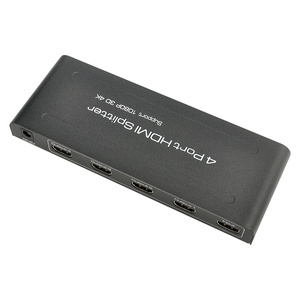
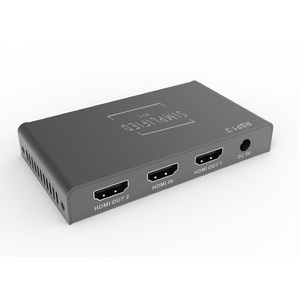
HDMI 1.4 Splitters
Shop HDMI 1.4 splitters at Aus Electronics Direct for distributing a single HDMI audio and video source to multiple compatible displays. HDMI 1.4 splitters are suitable for home entertainment systems, offices, classrooms, retail displays, digital signage and other multi-screen applications.
Our HDMI 1.4 splitter range includes options for connecting one HDMI source to two or more displays, with models supporting Full HD 1080p and selected models supporting Ultra HD 4K at up to 30Hz. Depending on the model, features may include 3D support, HDCP compatibility, EDID management and digital audio support.
Choose an HDMI 1.4 splitter based on the number of displays required, supported resolution and refresh rate, HDMI cable length and compatibility with your source and display devices.
What Is an HDMI 1.4 Splitter?
An HDMI 1.4 splitter takes one HDMI source and distributes the same audio and video signal to multiple HDMI displays. This allows a Blu-ray player, computer, media player, set-top box, gaming console or other HDMI source to display the same content simultaneously on multiple TVs, monitors or projectors.
An HDMI splitter is different from an HDMI switch. A splitter distributes one source to multiple displays, while a switch allows multiple HDMI sources to share one display.
What Resolution Does HDMI 1.4 Support?
HDMI 1.4 supports Full HD resolutions and can support Ultra HD 4K at up to 30Hz, depending on the splitter and connected equipment. HDMI 1.4 has a maximum bandwidth of approximately 10.2Gbps.
For applications requiring 4K at 60Hz, HDMI 2.0 is generally the more appropriate choice. Your existing Aus Electronics Direct guide already makes this distinction, which is useful for internal linking from this category.
How to Choose an HDMI 1.4 Splitter
1. Check the number of displays
Choose a 1-in-2 splitter for two displays, a 1-in-4 splitter for four displays, or a higher-output model when distributing a source to more screens.
2. Check the required resolution
For Full HD applications, HDMI 1.4 is generally suitable. If you need 4K, check that the particular splitter explicitly supports 3840 × 2160 at 30Hz.
3. Check refresh rate requirements
If your application requires 4K at 60Hz, look at an HDMI 2.0 splitter instead.
4. Check HDCP compatibility
HDCP compatibility can be important when distributing protected video content. HDMI splitter specifications should be checked against the source and displays.
5. Consider cable distance
Long HDMI cable runs can affect signal reliability. For longer installations, consider an HDMI extender or HDMI-over-CAT solution rather than simply using longer HDMI cables.