
-
Filter By Stock
- In Stock (3)
Video Projectors – Portable LED and HD Projectors
Popular Products
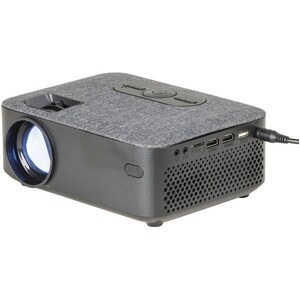
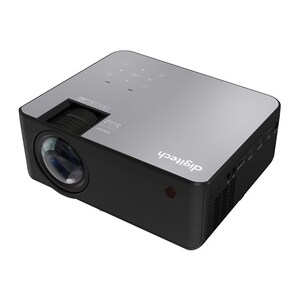
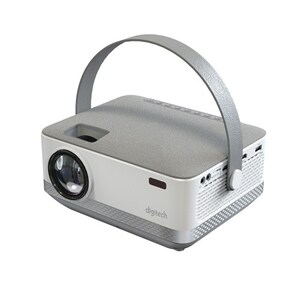
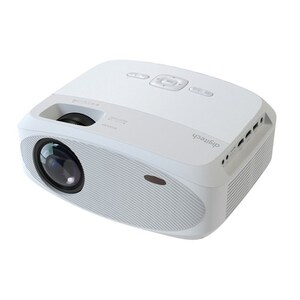
Video Projectors
Shop video projectors at Aus Electronics Direct, with portable LED projectors for home entertainment, office presentations, classrooms and everyday viewing. Choose from compact projector designs with HDMI connectivity, USB and memory card playback, built-in speakers and remote control functionality.
Portable LED Projectors
Portable LED projectors provide a convenient way to display video, images and presentations on a larger screen or suitable projection surface. Their compact designs make them useful for moving between rooms, taking to presentations or setting up a home viewing area.
Depending on the model, features may include HDMI inputs for connecting laptops, media players and other video sources, as well as USB and SD or microSD card playback for compatible media files. Some models also include built-in speakers and Bluetooth connectivity.
HD and 1080p Projectors
When choosing a projector, it is important to understand the difference between native resolution and supported input resolution. Native resolution is the actual number of pixels the projector displays, while supported resolution describes the video signal it can accept and process.
A native 1080p projector displays images at 1920 × 1080 pixels. A projector with a lower native resolution may still accept a 1080p HDMI input but scale the image to its own display resolution. Always check the product specifications to compare projector resolution accurately.
Choosing the Right Video Projector
Consider where you plan to use the projector and how large you want the projected image to be. Check the recommended projection distance, image size, brightness, native resolution and available connections before choosing a model.
For connecting a laptop, media player, gaming device or other HDMI source, check that the projector has the required HDMI input. If you want to play media directly from a USB drive or memory card, confirm that the projector supports your storage device and file formats.
Built-in speakers can provide convenient audio for casual viewing and presentations. For a larger room or a more immersive viewing experience, check whether the projector has an audio output for connecting external speakers.
Browse our range of portable LED and HD video projectors and compare their resolution, connectivity and features to find a suitable projector for your application.
FAQ
1. What is a video projector?
A video projector is an electronic device that displays video or image content onto a wall, projection screen or other suitable surface. It can connect to devices such as laptops, media players, gaming consoles and other HDMI video sources.
2. What is the difference between an HD and Full HD projector?
HD commonly refers to a resolution of 1280 × 720 pixels, while Full HD refers to 1920 × 1080 pixels. A Full HD projector has more display pixels and can show more image detail, provided the source content is also suitable.
3. What is native projector resolution?
Native resolution is the actual pixel resolution of the projector's display panel. It determines the number of pixels used to create the projected image. This is different from the maximum input resolution the projector can accept.
4. Can a 720p projector play 1080p video?
Some 720p projectors accept a 1080p video signal through HDMI and scale it down to their native 1280 × 720 resolution. This does not mean the projector displays the image in native Full HD.
5. How do I connect a projector to a laptop?
Most modern projectors can connect to a laptop using HDMI. Connect an HDMI cable between the laptop and projector, select the correct input source and configure the laptop's display settings. An appropriate video adapter may be required if the laptop does not have an HDMI output.
6. Can I connect a projector to a phone?
Some phones can connect to a projector using a suitable USB-C or other video adapter, provided the phone supports video output. Wireless connection options depend on the projector's features. Check device compatibility before purchasing an adapter.
7. Can a projector play movies from a USB drive?
Some projectors include a built-in media player that supports video playback from a USB flash drive or memory card. Supported file formats, storage capacities and playback features vary between models.
8. How far away should a projector be from the screen?
The required distance depends on the projector's lens and throw ratio, as well as the desired image size. Check the manufacturer's projection distance and image-size specifications for the particular model.
9. Are portable LED projectors suitable for home use?
Portable LED projectors can be suitable for casual home viewing, children's entertainment and smaller viewing setups. The viewing experience depends on the projector's native resolution, brightness, screen size and room lighting.
10. Do projectors have built-in speakers?
Some projectors include built-in speakers for basic audio playback. Other models provide an audio output for connecting external speakers or headphones. Check the product specifications for the available audio connections and speaker output.
11. Can I use a projector for office presentations?
Yes. A projector with a suitable HDMI or VGA input can connect to compatible laptops and presentation devices. Consider brightness, resolution, projection distance and the room's lighting conditions when selecting a projector for business use.
12. What should I look for when buying a video projector?
Compare native resolution, brightness, projection distance, maximum image size, input connections, supported media formats and audio options. Also consider portability, power requirements and whether you need built-in media playback or wireless connectivity.