
-
Filter By Stock
- In Stock (2)
Filter By Brand
- Dynalink (4)
- Wiim (1)
Media Players & Digital Media Players
Popular Products
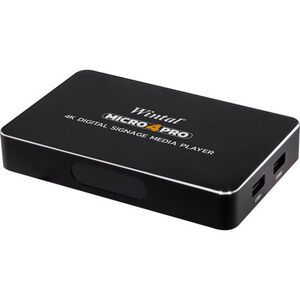
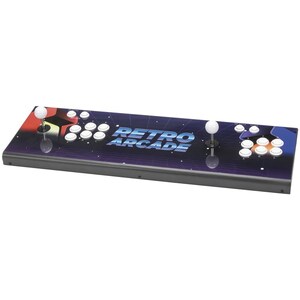
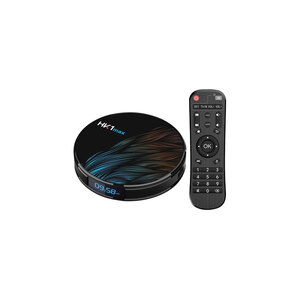
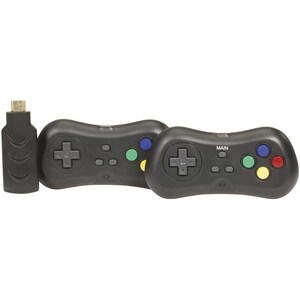
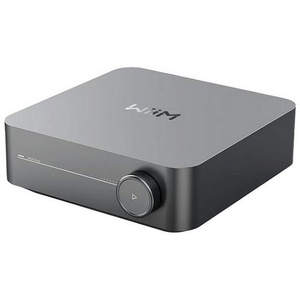
Media Players
Shop media players at Aus Electronics Direct, with digital media playback solutions for televisions, monitors, projectors and commercial displays. A media player allows you to play compatible video, music and image files from storage devices or supported network connections, depending on the model.
Our range includes digital media players with HDMI connectivity, USB playback and storage options, as well as 4K media players designed for high-resolution video and digital signage applications. Selected models offer Wi-Fi and Ethernet connectivity, built-in storage, SD card support and features for scheduled or continuous playback.
4K Media Players and Digital Signage Players
A 4K media player can decode compatible high-resolution video for display on a suitable 4K screen. When choosing a 4K media player, check the supported video resolution, output capability, file formats and connection options to make sure it suits your display and media files.
Digital signage media players are designed to display video, images and playlists on screens in locations such as retail stores, reception areas, offices, schools, hospitality venues and other commercial environments. Depending on the model, features may include scheduled playback, looping playlists, screen rotation, network file transfer and automatic playback after power is restored.
Choosing the Right Media Player
Consider how you intend to store and play your media before choosing a device. USB media players can be useful for playing files from a compatible flash drive or external hard drive, while models with SD card slots provide another storage option. Wi-Fi and Ethernet connectivity may allow compatible devices to receive files over a network.
Also check the available outputs, including HDMI or composite video, and confirm that the player supports the video, audio and image formats you need. For commercial installations, consider whether you need continuous playback, scheduled playlists, remote file management or automatic restart functionality.
Browse our media players to compare connectivity, supported resolutions and playback features. Check each product's specifications to find a model suitable for your television, projector, monitor or digital signage application.
FAQ
1. What is a media player?
A media player is an electronic device that plays digital video, music and image files on a compatible television, monitor or projector. Depending on the model, media can be played from USB storage, an SD card, built-in storage or a network connection.
2. What is a 4K media player?
A 4K media player is designed to decode and output compatible video at resolutions up to 3840 × 2160 pixels. To display 4K content, the media player, video file, HDMI connection and screen must all support the required resolution and format.
3. How do I connect a media player to a TV?
Most media players connect to a television through HDMI. Connect the player's HDMI output to an HDMI input on the TV, connect the required power supply, select the matching HDMI input on the television and follow the device's setup instructions.
4. Can a media player play videos from a USB drive?
Some media players support video playback directly from a USB flash drive or external hard drive. Check the product specifications for supported storage devices, file systems, video formats and maximum storage capacity.
5. What is a digital signage media player?
A digital signage media player is a device used to display digital content such as videos, images and promotional material on commercial screens. Depending on the model, it may support looping playlists, scheduled playback, network file transfers and automatic playback.
6. What is the difference between a media player and a set-top box?
A media player generally plays stored or network-supplied media files. A television set-top box may receive and decode broadcast television signals, such as digital terrestrial TV. Some devices combine multiple functions, so check the individual product specifications.
7. Can a media player play videos continuously on a loop?
Some media players support repeat or loop playback, making them suitable for digital signage and information displays. Check whether the device supports automatic playback, playlist looping and resume-after-power-loss functionality.
8. Do media players need an internet connection?
Not all media players need internet access. A model that plays files from USB storage or an SD card may operate without an internet connection. Network-connected features such as Wi-Fi file transfers or online services may require network access.
9. What is the difference between Wi-Fi and Ethernet on a media player?
Wi-Fi connects a media player to a network wirelessly, while Ethernet uses a wired network connection. Ethernet can be useful for fixed installations where a consistent wired connection is preferred. Check which network features the particular player supports.
10. What should I check before buying a media player?
Check the supported resolution, HDMI and other video outputs, USB or SD card support, compatible file formats, network connectivity, storage capacity and playback features. For digital signage, also consider scheduled playback, playlist management and automatic restart.